How a Contractor Fixes Their Google Business Profile in 30 Minutes
When someone’s water heater dies, they don’t browse. They search “plumber near me” and call one of the first businesses they see on the map. That map listing is your Google Business Profile. If it’s thin, wrong or ignored, the call goes to someone else.
This guide fixes it in seven steps. Set a timer for 30 minutes.
The 30-minute checklist at a glance
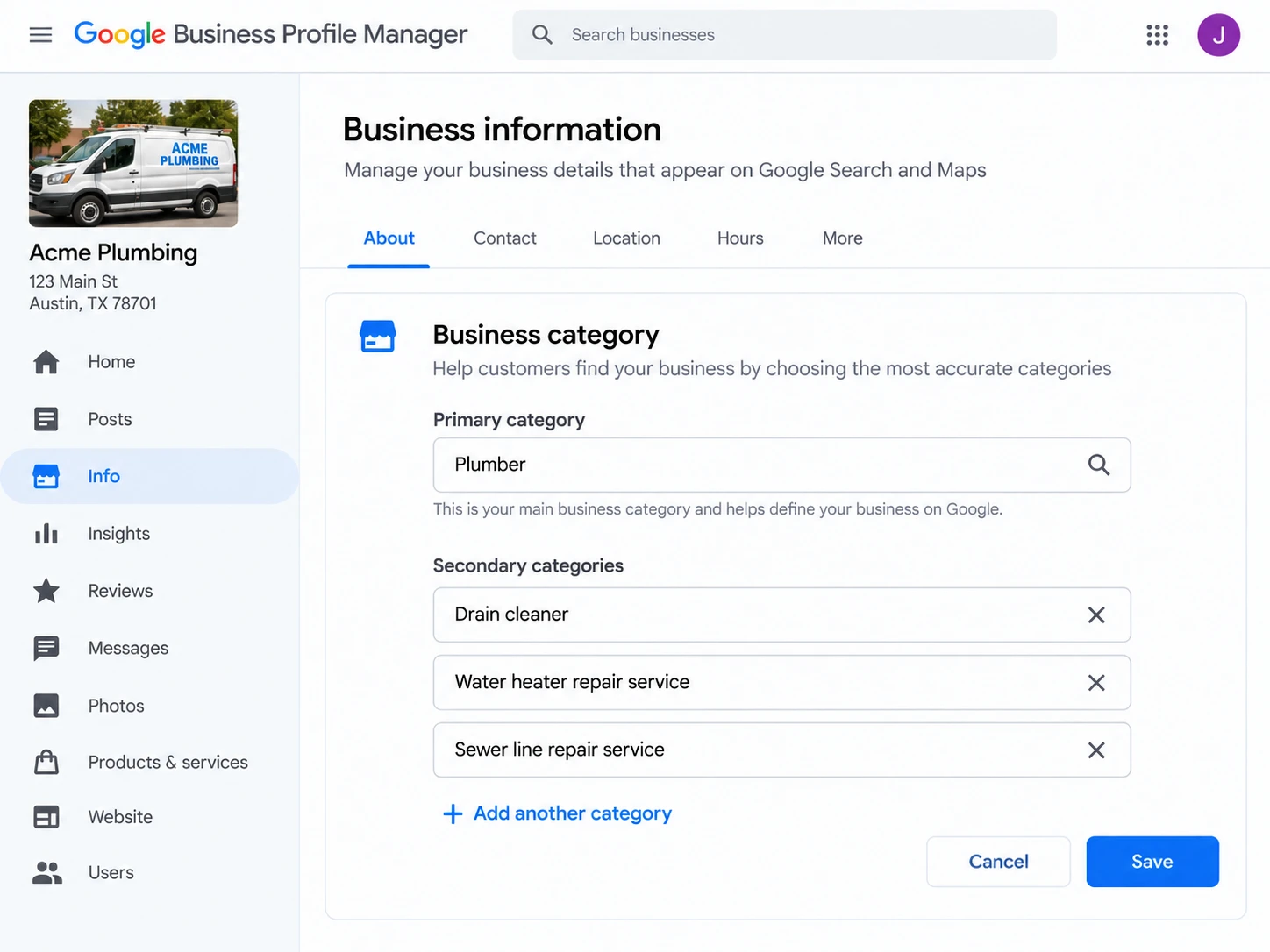
Step 1: Pick the right primary category
3 minYour primary category tells Google what you are. Choose the one that matches your main money-maker, not the broadest one. A plumber who mostly does water heaters should still pick “Plumber,” then add secondary categories for the rest of the work.
- Look at the top three profiles that rank for your service in your city and note their categories.
- Add secondary categories only for services you actually perform.
- Do not add categories for work you don’t do. It hurts trust and can cause problems with Google.
Step 2: List services and set your service area
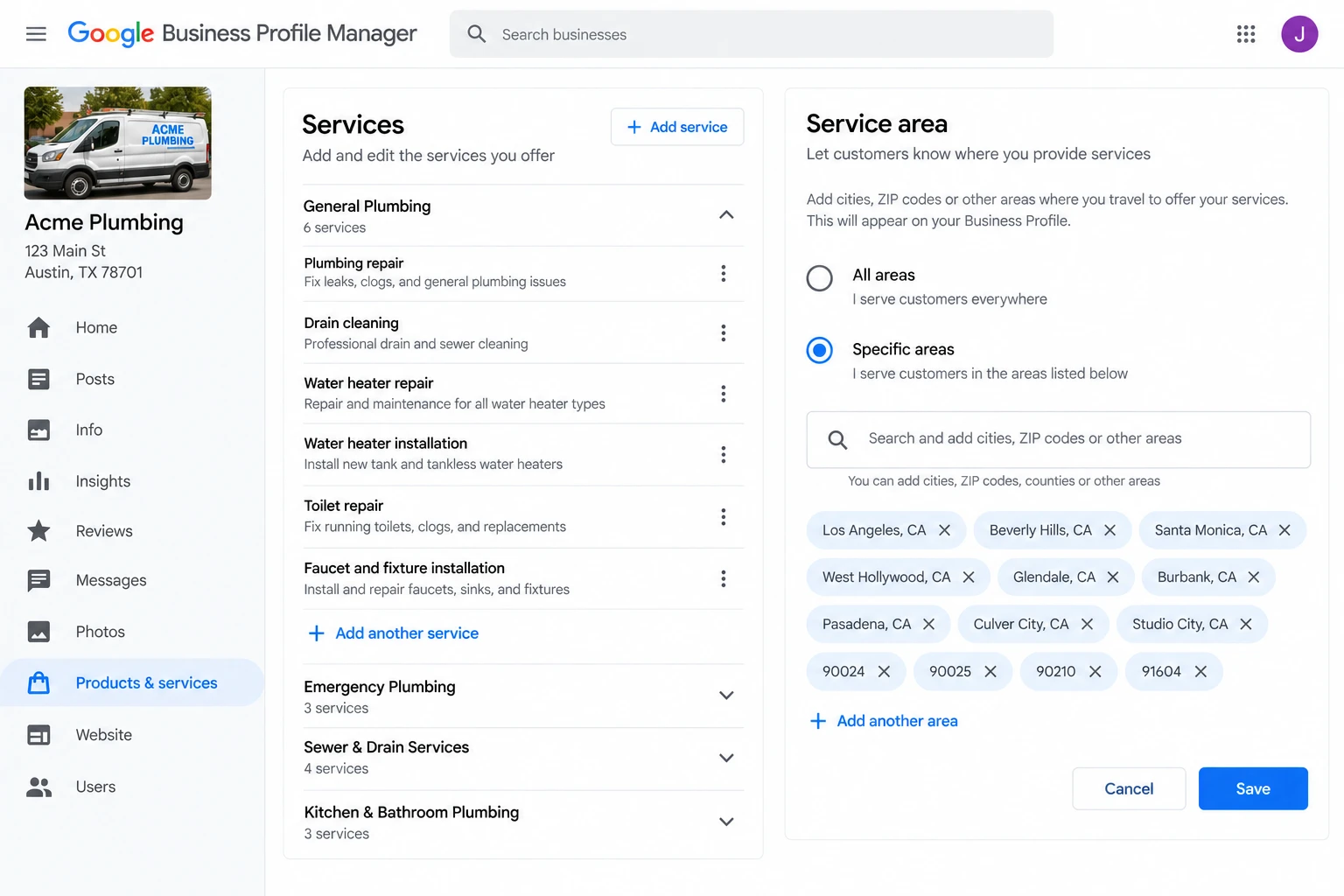
5 minAdd each service you offer with a one-line description in plain words. “Tankless water heater installation” beats “plumbing services.”
- Set your service area to where you really work, by city or ZIP code.
- If you work from a home address and customers don’t visit you, hide the address and use a service area.
Step 3: Make your name, address and phone match everywhere
4 minYour business name, address and phone number should read the same on your website, your profile and the main directories.
- Use your real business name. Do not add keywords like “Best Plumber LA 24/7.”
- Pick one phone number format and use it everywhere.
- Check that the profile is owned by a business account, not one person’s personal email. If that person leaves, you lose the profile.
Step 4: Add photos that get calls
5 minReal photos build trust faster than any text.
- Upload your logo, your truck or storefront, your team, and finished jobs.
- Before-and-after shots work well for remodelers and roofers.
- Skip stock images. Customers can tell, and so can Google.
- Add new photos regularly, even a few a month.
Step 5: Ask for and reply to reviews
8 minReviews are often the deciding factor between two similar listings.
Ask right after the job, while the customer is happy. Copy-paste message:
Thanks again for choosing us today. If you were happy with the work, a quick Google review helps a small business like ours a lot. Here’s the link: [your review link].
- Reply to every review within a couple of days.
- For good reviews, thank them by name and mention the job.
- For bad reviews, stay calm, apologize for the experience, offer to fix it offline, and never argue in public.
- Never buy reviews or ask friends to post fake ones.
Step 6: Post a short update
3 minA short post with a photo shows the business is active. Share a finished job, a seasonal tip or a special. One a week is plenty.
Step 7: Turn on call tracking
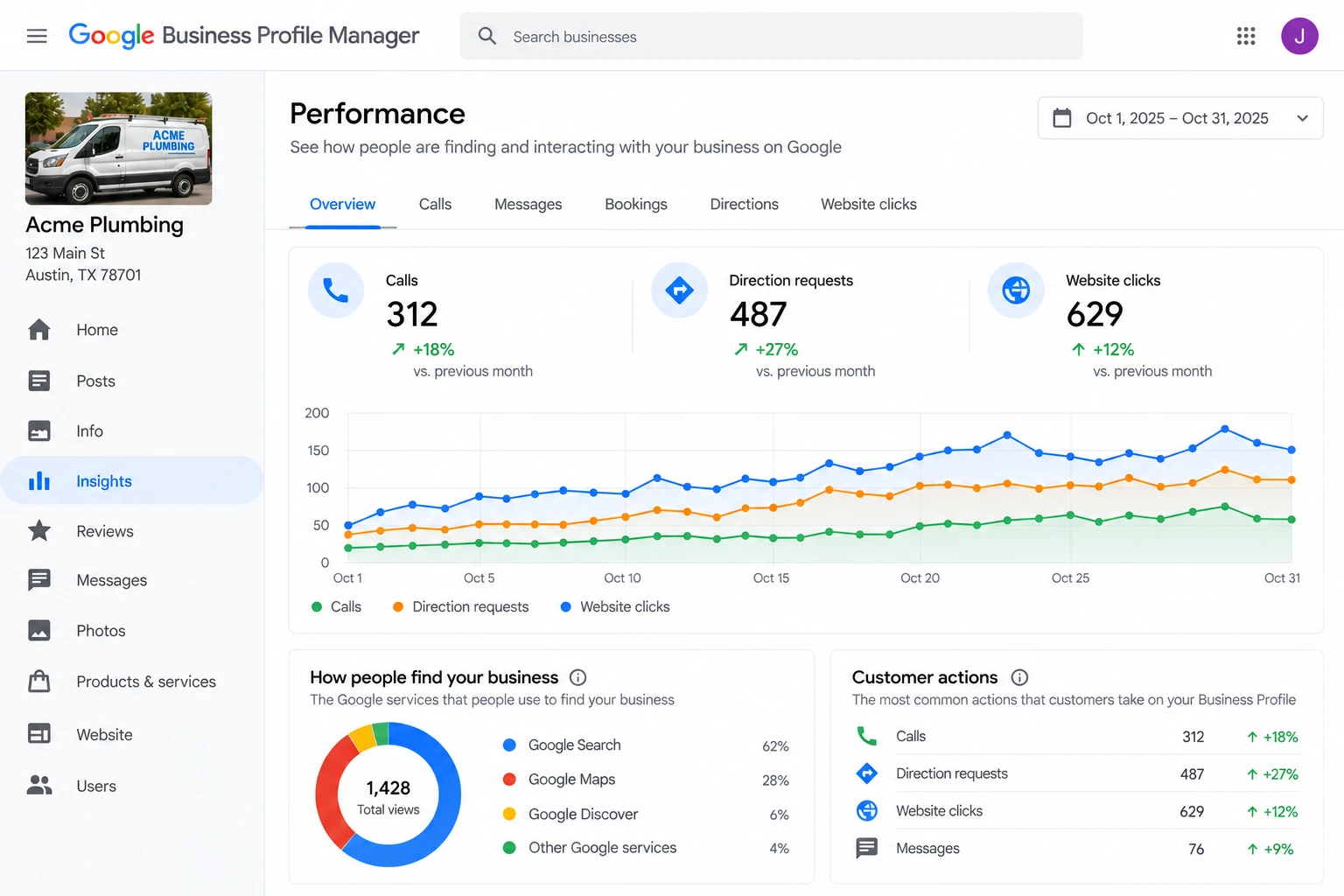
2 minYou can’t improve what you don’t measure. In your profile’s performance section, check how many calls, direction requests and website clicks you get each month. Write down the numbers now so you can compare in 30 days.
Common mistakes
- Profile tied to a personal Gmail
- Keywords stuffed into the business name
- Service area set too wide or wrong
- Wrong hours, especially holidays
- Never replying to reviews
- Only a logo and no real photos
- Duplicate profiles for the same business
Free checklist
Download the one-page PDF version of this checklist.
Want us to do this for you?
If you’d rather spend the 30 minutes on a job, we can set this up and keep it maintained as part of local SEO for contractors.